Moodle
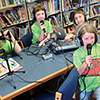
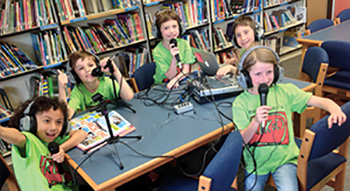 Podcasting is a cross-curricular tool that enhances communication, creativity, digital skills, and subject-specific knowledge. It is being used in the English and Welsh curriculum to improve oracy, literacy, digital competency, and critical thinking across multiple subjects. Schools integrating podcasting into their curriculum provide students with real-world media experience, teamwork and the opportunity to
reinforce prior learning.
There is a lot of positive research endorsing the benefits of school children creating podcasts.
The National Literacy trust recognises that listening to podcasts has a positive impact on children's reading.

The research also shows that boys listen more to podcasts. Reaching this group is always more difficult but this improves their reading abilities.
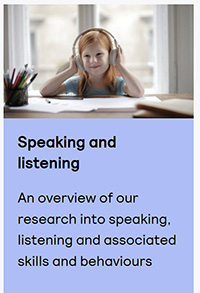 Teaching students to make Podcasts also helps develop a wide range of skills that can better equip them for todays modern life.
It can be an activity for a full class activity, creating teams for research, creating presentations and editorials including music, artwork and more.
Communication skills: Students improve their speaking skills, confidence, and their ability to grab attention.
Developing their communication, speaking, reading and writing skills, along with how to best present them, are all invaluable skills for their future. It improves the way they listen and comprehend, exposing them to greater vocabulary and different voices and language patterns.
- It fosters a greater understanding and acceptance of their peers.
- They learning how to thoroughly research a topic and how to write about it and present their findings in an engaging way
- The learn how to work as a team on a project and how to manage their time to meet deadlines
- They learn how to overcome barriers and obstacles.
- They learn about Audio Visual technology, how it works, how to make the most of the opportunities it brings and how to use if effectively.

Creating a Podcast boosts a student's confidence. Sharing their thoughts and views to others encourages them in the belief that they too can have a voice that matters.
Creating Podcasts on topics that they have an interest in allows them to show their knowledge and passions and convey their thoughts and opinions.


Courses and links for busy teachers and trainers including a complete training course for online teaching with a recognised certificate on completion
Link to Moodle Training Courses for Teachers here
Download Apps like Google Text editor, Skype, Dropbox, Audacity, Picassa, Devolver, Google Earth, Google Apps and then learn how to use them in the classrroom.
Download your choice of these Free software packages here
Learn how to use these Moodle courses in the classroom here
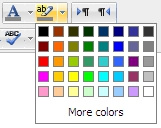 How to use the features in the Moodle 2.4 Text editor
 Setting up profile or home pages for all pupils and staff so that you can add our own photos and text, edit your description, upload a user photo and have your own blog pages
 Google Apps for Education provides the teachers with a multitude of Google services to use in schools and classrooms.
 An introductory user guide for students, educators, and anyone else who would like to learn to use Google Earth for education or fun
 DVolver Movie Maker is a creativity application that can be used in the classroom. It is available for the web, mobile and most recently the iPad
 How to use Picasa in the classroom using a sandbox project
 how to use Audacity for teachers and students to record their voice, listen to themselves read and other similar activities
 A guide to using dropbox in the classroom with tips and ideas
 A complete guide to setting up and using Skype in the classroom
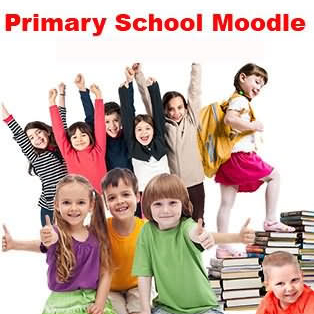

Create exciting interactive courses online from your own lessons !
Teachers in primary schools have their own content for lessons but not necessarily in a digital form and they may lack the skill and time needed to put that content online to make it exciting and interactive for their classes
That is where we come in - we convert the content of your lessons, make them interactive and set them up in Moodle for use on interactive whiteboards, touchscreens and tablets as well as being accessible by pupils at home
We've created a Primary School Moodle that's just waiting for your lessons to be uploaded
Primarty School Moodle is a fully Loaded Primary School System
Moodle e-Learning with lessons in all subjects in every Year Group for each term of the school year. You can copy & paste additional content into your area too from the huge Resources by Subject included with the installation
Easy to get started
The entire system comes ready to use with zones for pupils, teachers, parents and governors. No set-up needed just use the pre-configured resources and go
Fully supported
Moodle software is free – we install and configure the system for you and provide ongoing support. You needn't worry about the technical aspects of running moodle, you get help with a full administrator service adding users and setting up roles, access, forums, chat rooms etc.
Moodle e-Learning without effort
Moodle from School Website Now system is designed for Primary schools. Avoid the enormous time, effort and difficulties of learning how to set-up and use Moodle and then attempting to implement it yourselves. Have your own Moodle e-Learning system fully operational quickly, quietly and ready to go.
Contact us for more information