 When you first use a new webcam on a laptop you need to add it as a device so that your meetings application like Skype, Zoom or teams can find it.
First plug in your webcam to one of the USB ports on your laptop or PC.
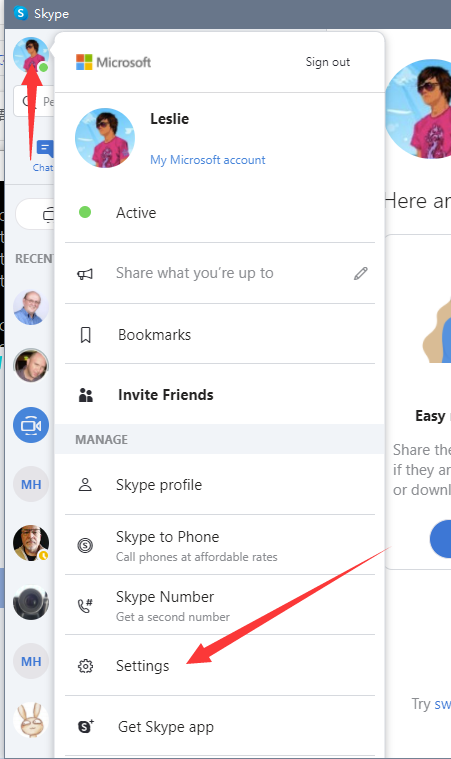
On Skype go to your profile and then click settings.
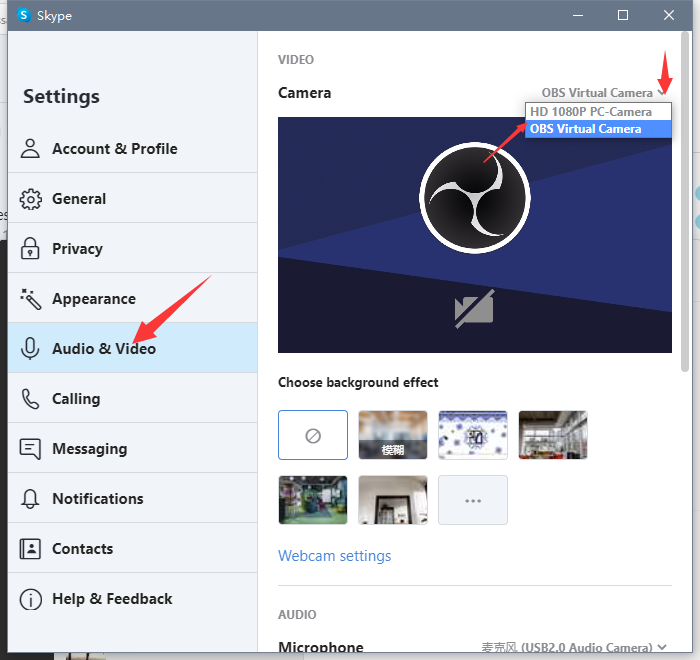
This will open and you can select Audio Video and in the top right hand corner select the dropdown menu to select yourwebcam. Zoom and Microsoft Teams have similar settings.