Tips and Hints - complete listing
Checklists, hints and tips about the things we often take for granted
 This week, 27th December 2019, UK Visas and Immigration (UKVI) announced IELTS, the world’s most trusted language test, will continue to be accepted for UK visas that require applicants to demonstrate their English.
Following a tender process, IELTS was reappointed as an official test provider for visas required as part of UK immigration applications.
Tier 4 Student Visa (without a presessional)
People who are applying for a Tier 4 Student Visa to study a bachelor or postgraduate degree at a Tier 4 Sponsor university are required to meet the English language level set by the institution. All British universities and colleges accept IELTS results. Tier 4 Student Visa applicants can apply to the UK universities listed here with an IELTS result from more than 1,600 IELTS test locations worldwide unless the institution has additional requirements.
 We can help schools in the UK who are planning to recruit sixth-formers from CHINA in a money-making scheme where UK schools receive around £4,000 per pupil from the Chinese government for attending sixth form prior to university admissions.
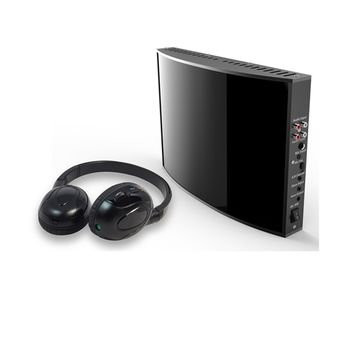 Broadcast IR System enable students or other audiences to listen to a sound broadcast using an unlimited number of headphones. It consists of an IR sender, a bit like a WiFi access point that transmits sound via Infra Red (IR) to special IR headsets
The headphones are switchable with two channels so that the sound broadcast could be heard in a choice of two languages for instance with a wireless microphone system used by the teacher or presenter which can be heard over the top of the broadcast sound.
The system is particularly effective for exam type tests where a spoken narrative needs to be heard clearly, or for translation services.
Other systems such as bluetooth do not work in a Broadcast mode as each headset has to be connected (paired) to a separate local PC or sender individually one by one to make a connection via a computer netwook and Bluetooth only has a very limited range unsuitable for many classroom, lecture theatre or auditorium environments.
Wired headsets would work in the similar way to Bluetooth but at a much lower cost but need either a computer network and local PC for connection or separate audio cabling.
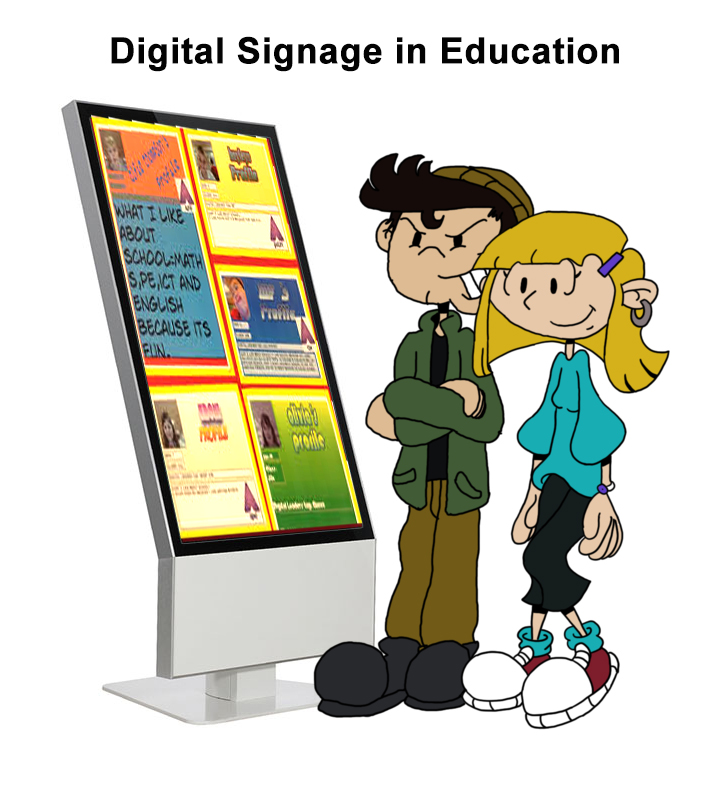 Most school digital signage systems are run by admin staff who have a lot to balance. Their bosses are telling them to use the most cost-effective means possible to communicate with their target audiences, and there are three distinct groups to communicate with: teachers, parents and students. Each one has a unique set of priorities and challenges, and need to be addressed differently.
Teachers
For teachers, digital signs can be a sort of public intranet. Reminders of important deadlines, meetings and paperwork requirements make great messages in the staff room. And a little recognition goes a long way – birthday or "workaversary" messages, kudos and shout outs, and employee profiles are all popular. Digital signage can also augment and support their workload, with messages that focus on current curriculum content, even handy tips and tricks for classroom management. Information about upcoming conferences, webinars and training opportunities are also sure to be noticed. Even a single screen in a staff area can make an impact.
Parents
Parents are busy people, and only come in to the school occasionally. Interestingly, both school administrators and parents are fairly reliant on social media, with Facebook leading the pack. But studies show that most parents don’t think social media is an effective way for a school to communicate with them. They don't really have time to search through lots of information (or posts). They prefer a push system, where relevant data has already been curated for them and is presented in an easy-to-digest format. Let them know what’s going on at the school and in the district, what advisory and career resources are available, and give them ROI metrics that show school and student progress to goals.
And if athletics are an important part of the school's culture, you can boost team spirit on digital signs with current team and player standings. The same goes for the arts – advertise upcoming band, choir and theater events to bring parents into the action. Let them share in their kids' extracurricular interests, and be sure to advertise prizes, awards and honors.
Safety is always a prime consideration for parents. So, letting them know how your school's crisis plan works reminds them that you take their children’s safety very seriously, and have developed protocols to ensure that everyone is protected and informed in a crisis, no matter what happens.
It also doesn't hurt to remind them of the positive impact the school has on the local area, such as community outreach and charity work, fundraising, success stories from alumni, or even human-interest stories from the area. Remind them that the school is helping shape their children within a greater context.
Students
Students are digital natives. They've grown up with the web and internet, with smartphones and Wi-Fi, with YouTube and Instagram, and all the rest of the digital world that makes up the zeitgeist of today. Their approach to digital information is very different than their parents or staff.
One way to leverage your digital signs is to use them to replace or support morning announcements, fire drills and other school-wide communications. This sort of push system can be a timesaver for things everyone needs to know.
But at the student level, success is really determined by how it makes them feel. It might be great that your digital signage system has a bunch of cool features, but what’s the impact of those features on the kids? Do they feel more informed? Do the communications foster a sense of independence (especially in high school)? Is there a sense of community and support?
In a recent Visix client call with a school, several sixth-eighth graders were included in the conversation. They were asked what they’d like to see on their school’s digital signs. Some of what they said was expected – things like info about events and holidays, scores and standings for sports, deadlines and things they'd need to remind their parents of. But they also said they'd like to see some inspirational quotes that could encourage them when they were feeling down or overwhelmed. They also want reminders to always listen to others and be kind.
Because they are digital natives, getting information from screens is already second nature, so they want to take that information to a deeper level. They're going through changes, growing intellectually and emotionally as well as physically, and think the messages on screens can help them with that process. In a way, they want acknowledgement that those in control of the school and its communications understand them and what they’re going through on a daily basis. They want a positive, supportive environment, and your digital signs can contribute to that.
Motivating and encouraging students can even be directly tied into the curriculum. If the ninth graders are reading Mark Twain, find some wry quotes from him to support and inspire them. If eighth-grade science is studying the planets, find a quote from an astronaut or astronomer. You could even ask the students to pitch in, asking them to submit their favorite quotes. You can gamify it by rewarding those chosen for display on screens.
Digital signage is such a powerful tool for communication, that it can be effective for a wide array of audience types and priorities. It can be used to inform and entertain, to keep people safe in an emergency. It can also help positively affect behavior, and teach more than just textbook smarts, but empathy as well.
April 12, 2019 | by Debbie Wilson-DeWitt
 Touchscreens are often supplied with internal speakers that are inadequate for classroom use - the speakers are usually too small, the amplifier power is only 7 to 12 watts per channel and the small eliptical speakers don't face the front so that 80% of the sound energy and about half the volume is lost in the touchscreen casing and since speakers are directional it's important that they always face towards the audience.
Some touchscreens on the market have only 12 watts per channel and face sideways equivalent to only 6 watts and even 80 watt touchscreens are equivalent to only 40 watt speakers or less.
The reason for the low and poor quality of Touchscreen sound systems in a classroom is that touchscreens are designed as TVs with a touch feature added so the sound system is designed for use in a sitting room where the listener sits close to the screen so the sound levels are lower and don't need to project to the back of a much larger classroom filled with students
An answer to this is to use forward facing speakers at the right height - the height of your listeners ears. A soundbar fixed under the touchscreen is the best solution as the speakers can be large enough, the speakers face forward at the correct level and the sound output can be designed to suit young peoples hearing for voice at the correct sound level without distortion and the sound reflections caused by sideways facing speakers. Additional speakers can be wired to the rear of the classroom to ensure uniform sound levels ideally at 75dBA (15dB above normal speech) if the classroom is abnormally deep (more than 6 metres).
David Edis-Bates C.Eng MIET Dip Couns